
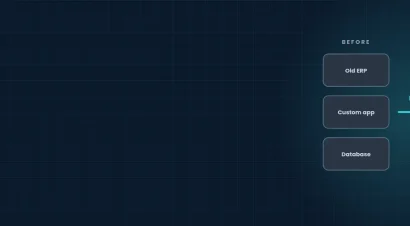

Most UK manufacturers already own an ERP. The problem is rarely the ERP itself. It is that production, stock, sales, finance and the shop floor each run on their own system, and people re-key the same data between them every day. ERP system integration for manufacturers fixes that by connecting those systems, so one record of an order, a part or a customer is shared everywhere and nobody has to type it twice.
This guide explains what ERP integration means, which systems are worth connecting first, the main ways to do it, where projects go wrong, and a six-step plan you can follow. It also covers cost and the questions manufacturers ask us most.
What is ERP System Integration in Manufacturing?
ERP integration links your ERP with the other software your business depends on, so data moves automatically instead of by spreadsheet, email or phone call. For a manufacturer that usually means the ERP exchanging data with the CRM, the warehouse and shipping tools, shop-floor or MES systems, quality and compliance tools, and finance and reporting platforms.
Done well, a sales order raised in the CRM creates the production job, reserves stock, and shows the customer a realistic delivery date without anyone re-entering a single field. When something changes, such as a delayed delivery or a revised quantity, every connected system updates at once.
Signs Your Systems Need Integrating
Most manufacturers do not decide to integrate because of a strategy document. They decide because the daily friction becomes impossible to ignore. Common signs include:
- The same order or part number is entered in two or more places.
- Sales quote delivery dates the factory cannot meet because stock and capacity are not visible.
- Month-end reporting depends on exporting and merging spreadsheets.
- Customers ask for order status and someone has to chase it by phone.
- Adding a new system or sales channel means weeks of manual setup.
- Different teams quote different numbers for stock, margin or lead time.
If two or more of these sound familiar, integration will usually pay back faster than replacing the ERP.
What To Connect to your ERP
You do not need to connect everything. Start with the flows that cost you the most time or cause the most errors, then extend from there.
CRM ERP Integration
Connecting your CRM to your ERP means a won deal creates the customer, quote and production order automatically. Sales can see live stock and lead times before they promise a date, and finance sees the order the moment it is confirmed. It also removes the common problem of two customer records that slowly drift apart.
WMS ERP Integration
When your warehouse management system talks to your ERP, goods received, picked and shipped update stock and order status in real time. Planners work from the same numbers as the warehouse, which cuts stock-outs, over-ordering and disputes about what is actually on the shelf.
Shop Floor and Production Systems
Linking production or MES data to the ERP gives you actual material usage, machine output and job progress against the plan. That makes costing more accurate and lets planners react to delays the same day instead of at the end of the week.
Finance and Reporting
Automated links between ERP, accounting and reporting tools remove manual journal entries and give directors live dashboards instead of month-old spreadsheets. This is often the quickest win for the finance team.
Customer Portals and B2B Ordering
If your customers order through a portal or online account, integration lets those orders flow straight into the ERP, and lets customers see order status, invoices and delivery information without calling you.
The Main Ways to Integrate an ERP
There is no single right method. Most manufacturers end up with a mix, depending on how standard their processes are and how many systems they run.
Native Connectors and Apps
Many ERPs, including Odoo, ship with ready-made connectors for common tools. They are quick to switch on and suit standard processes, but they limit how much you can change the data flow.
API-Based Integration
Modern ERPs expose APIs that let other software read and write data in real time. This is the most flexible route and suits custom workflows, portals and dashboards. It needs careful design, testing and monitoring, but it avoids being tied to one vendor’s connector.
Middleware or an Integration Platform
A central layer sits between your systems, translating and routing data. It helps when you connect many systems and want one place to monitor and fix failed transfers rather than chasing errors across several tools.
Custom Software and Portals
When a process is unique, such as a bespoke quoting tool, a customer portal or an automated production report, a custom-built software layer on top of the ERP is often cleaner than forcing the ERP to behave differently.
The Benefits of Integrating your ERP
The gains are practical rather than abstract. Manufacturers typically see fewer data-entry errors, faster order processing, more reliable delivery dates, clearer stock levels and faster month-end reporting. Staff spend less time re-keying and more time on work that adds value. Because everyone works from the same record, arguments about whose spreadsheet is right largely disappear.
Integration also makes growth easier. Adding a new sales channel, warehouse or product line becomes a configuration task instead of a new manual process.
Where ERP Integration Projects Go Wrong
Most failed integrations share the same few causes:
- Unclear scope. Projects that try to connect everything at once stall. Start with the one data flow that costs you most.
- Dirty data. Duplicate customers, inconsistent part numbers and missing units break integrations. Clean the data before you connect anything.
- No business owner. Integration is a process change, not only an IT task. Someone in operations or finance must own the outcome.
- No monitoring. Integrations fail quietly when a system updates or a field changes. Build alerts and logs from day one.
- Vendor lock-in. Closed, proprietary connectors make every future change expensive. Prefer open standards and documented APIs.
A Six-Step Plan for Manufacturers
- Map the process. Follow one order from quote to cash and note every handover and re-keyed field.
- Pick the first integration. Choose the flow with the clearest time or error cost, often CRM to ERP or ERP to warehouse.
- Clean and agree the data. Decide the master record for customers, parts and prices.
- Choose the approach. Native connector, API, middleware or custom build, based on how standard the process is.
- Build, test and run in parallel. Test with real orders and run the old and new methods side by side for a short period.
- Monitor and extend. Add alerts, review monthly, then connect the next system.
What Does ERP Integration Cost?
Cost depends on the number of systems, how clean your data is, and whether connectors already exist or need building. A single connector between two common systems is a small project. A multi-system programme with custom portals and reporting is a larger one. The reliable way to get a number is a short discovery call followed by a scoped proposal, rather than a generic price list.
Support may also be available. The government-backed Made Smarter adoption programme helps eligible manufacturers in England adopt digital technology, so check whether you qualify before you set a budget.
Why Work with Genius Logix
Genius Logix is a UK-based engineering team that integrates ERPs, builds custom software and portals, and runs the result for you, so you deal with one team instead of several suppliers. We work with open-source tools and open standards, including Odoo, to keep you free of vendor lock-in. Every engagement starts with a free consultation and a clear proposal. If you are weighing up a bigger change, our consultancy and architecture service can help you choose the right route before you commit.