
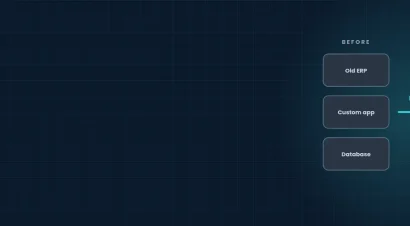
Almost every established UK business runs at least one system that has outlived its usefulness. It might be a custom application written a decade ago, an ERP nobody dares upgrade, or a database that only one person understands. It still works, mostly, so it stays. But every year it gets harder to support, easier to attack and more expensive to keep alive. Legacy system modernisation is the work of bringing those systems up to date without stopping the business while you do it.
This guide explains what legacy system modernisation involves, the signs it is time to act, the five main approaches, how to choose between them, and a six-step plan. It also covers cost, security and the questions we hear most.
What is Legacy System Modernisation?
A legacy system is software or infrastructure that still runs important work but is built on old technology, is hard to change, or is no longer supported by its vendor. Legacy does not simply mean old. A ten-year-old system that is well documented, secure and easy to change is not a problem. A three-year-old system that nobody can update or integrate is.
Modernisation means improving or replacing that system so it is easier to run, safer, cheaper to maintain and able to connect with the rest of your technology. That can range from moving the same application to the cloud, to rebuilding it, to replacing it with a modern platform.
Signs Your Systems Need Modernising
Most businesses act when the pain becomes constant. Common warning signs include:
- Only one or two people understand how the system works, and they are hard to replace.
- The vendor has ended support, or security patches are no longer released.
- Simple changes take weeks because every edit risks breaking something else.
- The system cannot connect to your CRM, ecommerce, reporting or other modern tools without manual work.
- Staff export data to spreadsheets to get answers the system should give them.
- Hosting, licences and workarounds cost more each year while the system delivers no more.
- Auditors or customers have raised questions about security or compliance.
If three or more of these are true, waiting is probably costing you more than acting would.
The Real Cost of Leaving Legacy Systems Alone
Standing still feels safe because nothing changes. In practice the costs build quietly. Maintenance consumes budget that could fund new work. Staff lose hours to manual workarounds. Unsupported software becomes a security risk, and the UK’s National Cyber Security Centre warns that obsolete products need active risk management because patches stop arriving.
There is also an opportunity cost. A system that cannot integrate stops you adopting automation, better reporting or AI tools, and it slows every new product or sales channel you want to launch.
The Five Approaches to Legacy System Modernisation
There is no single right answer. The five approaches below run from the lightest change to the heaviest. Many businesses use more than one, applying a different approach to each system.
Rehost: Move it as it is
Rehosting, often called lift and shift, moves the existing application to new infrastructure, usually the cloud, with little or no change to the code. It is the quickest and lowest-risk form of legacy system migration, and it removes the hardware and data-centre burden. It does not fix design problems inside the application.
Replatform: Small Changes for a Better Fit
Replatforming keeps the application largely the same but moves it onto a modern platform and swaps out parts such as the database or operating system. You gain support, performance and easier maintenance without rewriting the logic.
Refactor: Improve the Code Underneath
Refactoring restructures the existing code so it is cleaner, better documented and easier to connect with other systems, often by exposing APIs. It suits systems whose business logic is sound but whose structure has become tangled.
Rebuild: Write it Again
A rebuild recreates the system on modern technology while keeping its purpose. It is the right call when the original design cannot support what you now need, but it takes the longest and needs a clear specification so the new version does not inherit old problems.
Replace: Buy or Adopt a Modern Platform
Sometimes the sensible move is to retire the system and adopt an off-the-shelf or open-source platform, such as moving to Odoo for ERP. This works best when your process is fairly standard and the legacy system does little that a modern product cannot.
How to Choose a Legacy System Migration Strategy
The right approach depends on four questions. How critical is the system to daily operations? How much of its logic is unique to your business? How much budget and downtime can you accept? And how soon does the vendor or security situation force a decision?
As a rough guide, rehost or replatform when speed and low risk matter most, refactor when the logic is valuable but hard to connect, rebuild when the design blocks your plans, and replace when your process is standard. A short assessment before you commit usually saves far more than it costs, which is why our consultancy and architecture service starts there.
Moving Legacy Systems to the Cloud
Legacy system cloud migration is one of the most common starting points for UK businesses, whether to AWS, Microsoft Azure or Google Cloud. The cloud removes the cost of ageing hardware, improves resilience and makes the system easier to connect with other tools. The key is to plan the move around data and dependencies, not just the application itself, and to keep the option to move between providers so you are not locked in again. If you also need the modernised system to talk to your ERP, our guide to ERP system integration for UK manufacturers shows how.
Where Legacy Modernisation Projects Go Wrong
Most failures come from the same few causes:
- No clear inventory. Teams discover hidden dependencies, such as a spreadsheet or script that quietly feeds another system, only after something breaks.
- Trying to do everything at once. A big-bang cutover concentrates risk. Phased migration lets you learn and correct as you go.
- Poor data quality. Moving messy, duplicated or incomplete data into a new system just moves the problem.
- Losing business knowledge. When the people who understand the old system leave, so does the logic. Document it before you start.
- No plan for the people. Staff need training and time to adjust, or they will keep using the old way.
A Six-Step Plan to Modernise Without Downtime
- Take stock. List every system, who uses it, what it connects to and what it costs to run.
- Rank by risk and value. Start with the systems that are most critical, most expensive or least secure.
- Pick the approach for each. Choose rehost, replatform, refactor, rebuild or replace per system.
- Clean and map the data. Decide what to migrate, archive or delete, and agree the master records.
- Migrate in phases and run in parallel. Move one part at a time and keep the old system available until the new one is proven.
- Monitor and improve. Track performance and errors, train users and plan the next system.
What Does Legacy System Modernisation Cost?
Cost depends on the size and complexity of the system, the approach you choose, how clean your data is and how much downtime you can accept. A rehost of a single application is a small project. Rebuilding a core system that touches many others is a larger one. The reliable way to get a number is a short discovery call followed by an assessment and a scoped proposal, not a generic price list.
It also helps to compare the cost with doing nothing. Add up what you spend each year on maintenance, hosting, licences, workarounds and the staff time lost to manual processes. Modernisation often pays back by cutting that running cost, not only by adding new features.
Security And Compliance When you Modernise
Modernisation is a chance to fix security gaps that old systems carry. Unsupported software no longer receives patches, old authentication methods are easy to attack, and data is often stored in ways that make audits painful. A good project reviews access controls, encryption, backups and logging as part of the move, and keeps a clear record of where personal data lives so you can meet UK GDPR obligations. Our security and resilience service covers audits, managed security and compliance support such as ISO 27001 and Cyber Essentials.
Why Work With Genius Logix
Genius Logix is a UK-based engineering team that assesses, migrates and rebuilds legacy systems, builds the custom software and integrations that connect them, and runs the result for you, so you deal with one team instead of several suppliers. We favour open-source tools and open standards to keep you free of vendor lock-in. Every engagement starts with a free consultation and a clear proposal.